
04.6 Filters
There are three places to filter. Pick by who decides and when.
| Where | Who sets it | Use for |
|---|---|---|
| Dataset filter (03.7) | Dataset builder | Always true, for every report (e.g. no test orders) |
| Report filters (this page) | Report builder sets defaults; readers change them | Date, region, product… |
| Filter rows on a column (04.3) | Report builder | A fixed rule in this report only (e.g. amount > 0) |
Report filters
Toolbar Filters. These run in the query, so they decide which rows reach the report at all, including what totals are made of.
The date (every report has one)
- Apply this date to 1: tick the date column(s) it filters, e.g. order date. Until one is ticked, the date does nothing. If you tick two, rows must match on both.
- Default date (Shows 2): what readers start with: Today, Last 7 days, Current month, Current month-to-date, Last month, quarters, Current year-to-date, Current financial year, and more. Left empty, the workspace default applies.
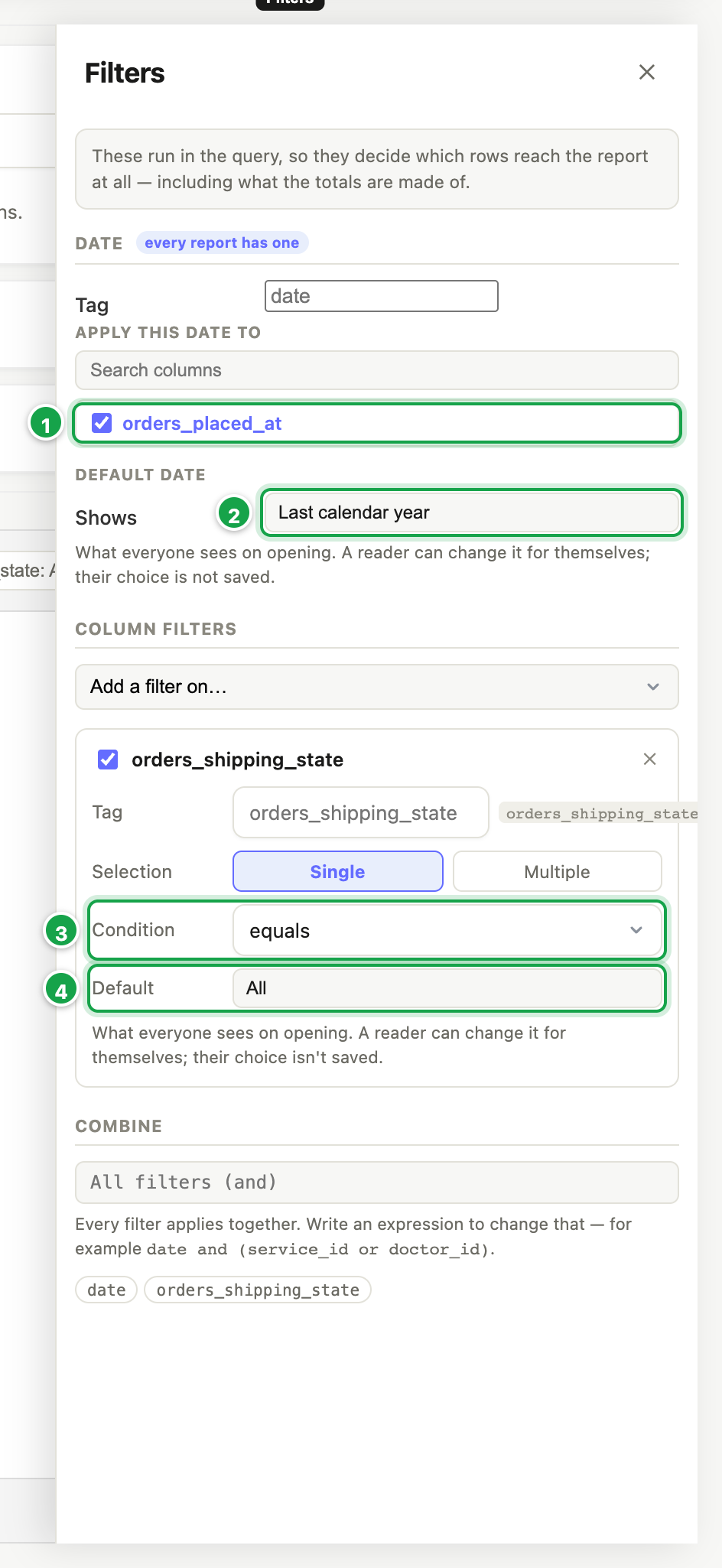
| # | What it is |
|---|---|
| 1 | Apply this date to: the date column it filters |
| 2 | Shows: the date readers start with |
| 3 | A column filter: its Condition… |
| 4 | …and its Default value |
Column filters
- Add a filter on… → pick a column.
- Set:
- Condition 3: equals, is any of, contains, is between, is before… (the list suits the column)
- Selection: Single or Multiple values
- Default 4: what everyone sees when they open the report (leave empty for everything)
- Tag: a name that passes the value to a dataset parameter of the same name (03.7)
- Untick a filter to switch it off without deleting it.
Combine (advanced)
With two or more tagged filters, Combine lets you write how they join, e.g. date and (region or product). Empty means all must match. Press Enter to apply.
Parameters the data accepts
If the dataset uses parameters, this lists each one and where its value comes from. If it says nothing supplies it, tag a filter with that name or give the parameter a default in the dataset, or the report fails.
The reader’s filter bar
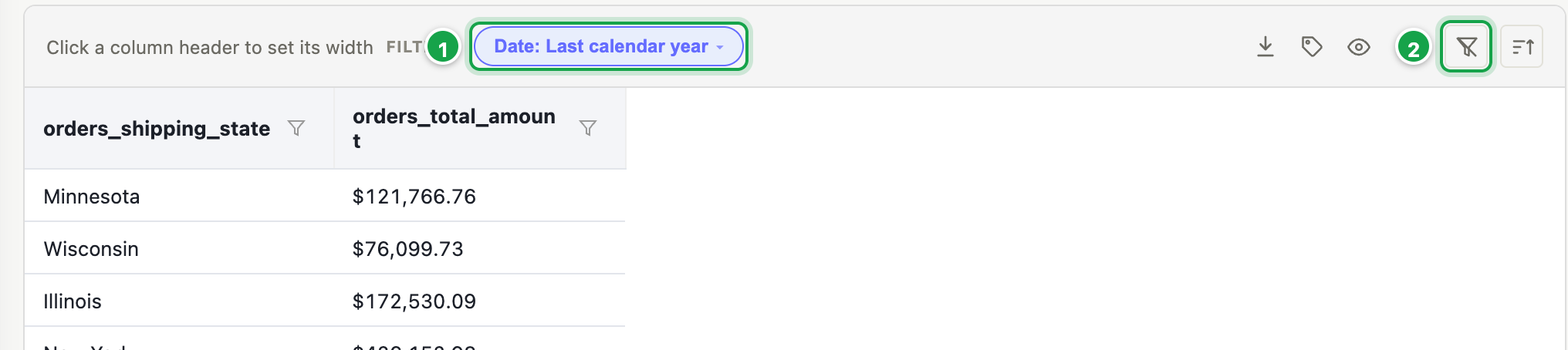
| # | What it is |
|---|---|
| 1 | A filter. Click ▾ to choose; the date can be changed, never cleared. |
| 2 | Clear filters |
Above the result, in both modes:
- Click a filter 1 and its ▾ to choose values.
- ✕ clears a filter. The date can be changed but not cleared.
- Reset goes back to the report’s defaults.
A reader’s choices in a report last for their visit only. Dashboards remember them (05.5).
Next: 04.7 Formulas
Last updated 12 October 2026