
03.10 Preview and save
See the first rows as you build, read the warnings, preview the SQL and save the dataset.
See the result as you build
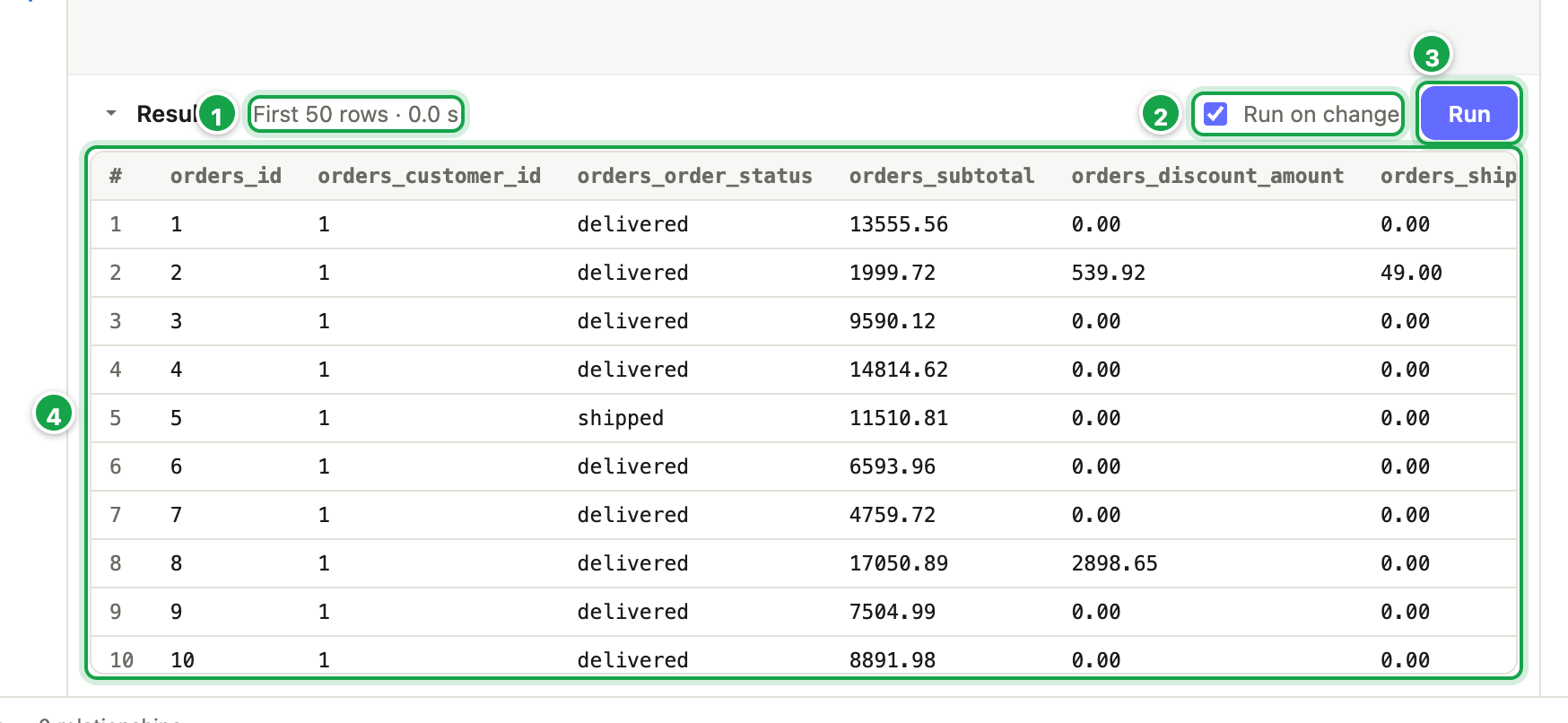
The Results panel under the canvas shows the first 50 rows of your dataset as it is on screen, saved or not.
- Run 3 runs it now.
- Run on change 2, when ticked, re-runs it a moment after each change.
- The summary 1 shows First 50 rows · 0.4 s, or the database’s error if something is wrong.
- No rows — the filters leave nothing means your filters exclude everything.
| # | What it is |
|---|---|
| 1 | What ran: First 50 rows · 0.4 s, or the error |
| 2 | Run on change: run again after each change |
| 3 | Run now |
| 4 | The rows, with every column named table_column |
Check the warnings
The status bar at the bottom shows ⚠ N warnings or ✓ No validation errors. To read what the warnings say, click Preview SQL. They’re listed at the top, marked ⚠.
Common warnings:
- has no relationship defined: a table isn’t joined, see 03.3.
- This dataset aggregates: totals are on, see 03.6.
- Part N has X columns, Part 1 has Y: stacked parts don’t line up, see 03.8.
- :name is used but not declared: see 03.7.
Preview SQL
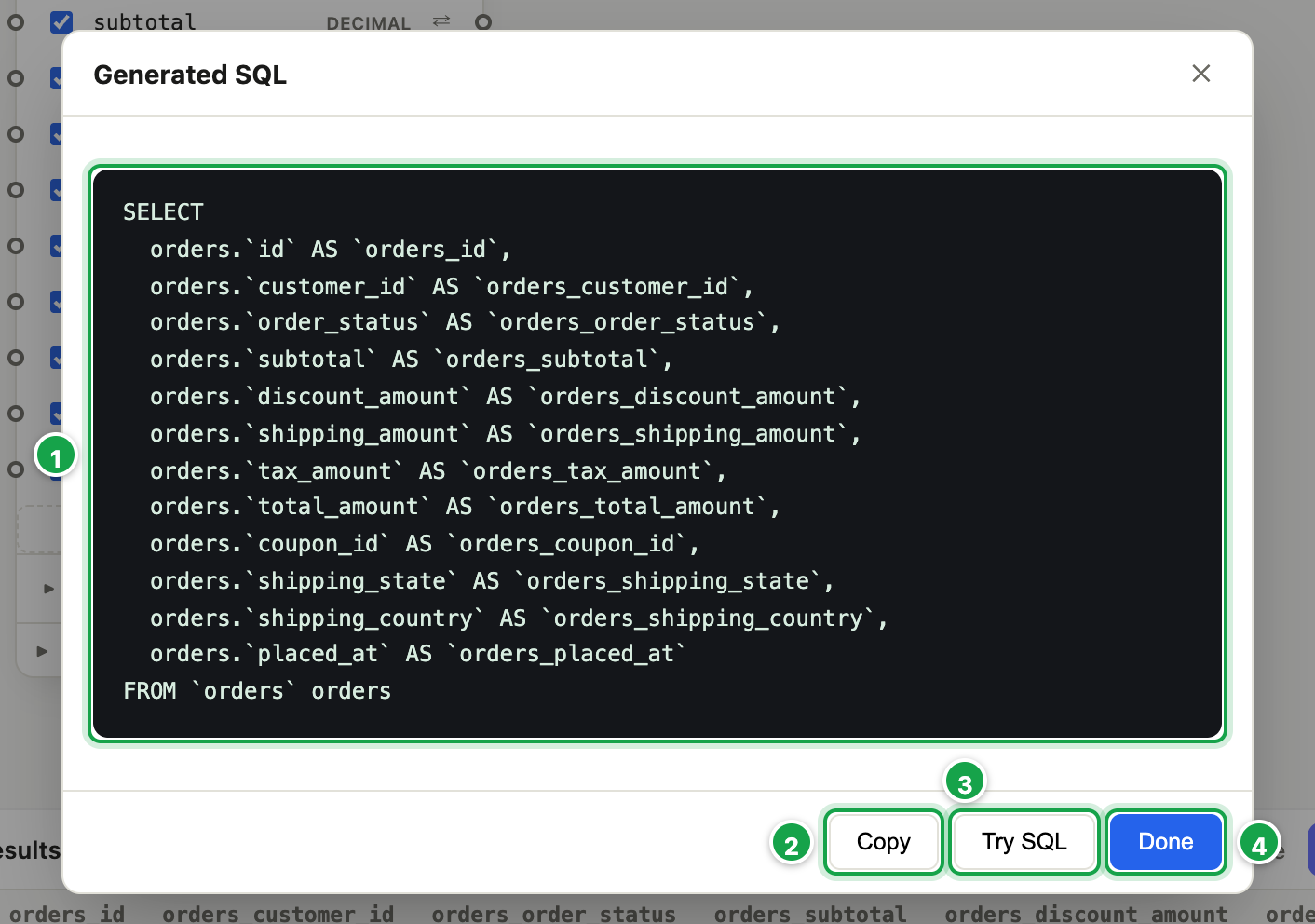
Preview SQL shows the query Analytics will send to the database: useful for a technical colleague, or to double-check. Copy 2 copies it; Try SQL 3 runs it (first 50 rows).
| # | What it is |
|---|---|
| 1 | The SQL Analytics will send. Warnings appear above it, marked ⚠. |
| 2 | Copy |
| 3 | Try SQL: run it, first 50 rows |
| 4 | Done |
Save
Click Save dataset. You’ll see Dataset saved.
A save is refused (with the reason) when, for example:
- a function isn’t available on your database,
- a formula contains
;or a comment, - a filter value is incomplete,
- stacked parts have different numbers of columns,
- a part has no columns ticked.
There’s no undo in the dataset builder, and no warning when you leave unsaved. Save often.
Delete a dataset
On the Datasets list, point at the dataset’s tile and click the bin, then Delete.
A dataset that something still uses can’t be deleted. You’ll see what uses it, for example “Orders for one state” is used by report “Sales for one state”. That can be:
- a report,
- a dashboard,
- another dataset built on it,
- a move,
- a model.
Remove the dataset from those first (or delete them), then delete it.
Next steps
Your dataset is ready for reports: 04.1 What a report is. To reuse it inside other datasets, see 03.11 Build a dataset on another dataset.
Datasets created from inside a report belong to that report and aren’t shown in the Datasets list.
Last updated 12 October 2026