
03.3 Join tables
A join tells Analytics how rows in two tables belong together, for example orders.customer_id is the same as customers.id.
Make a join
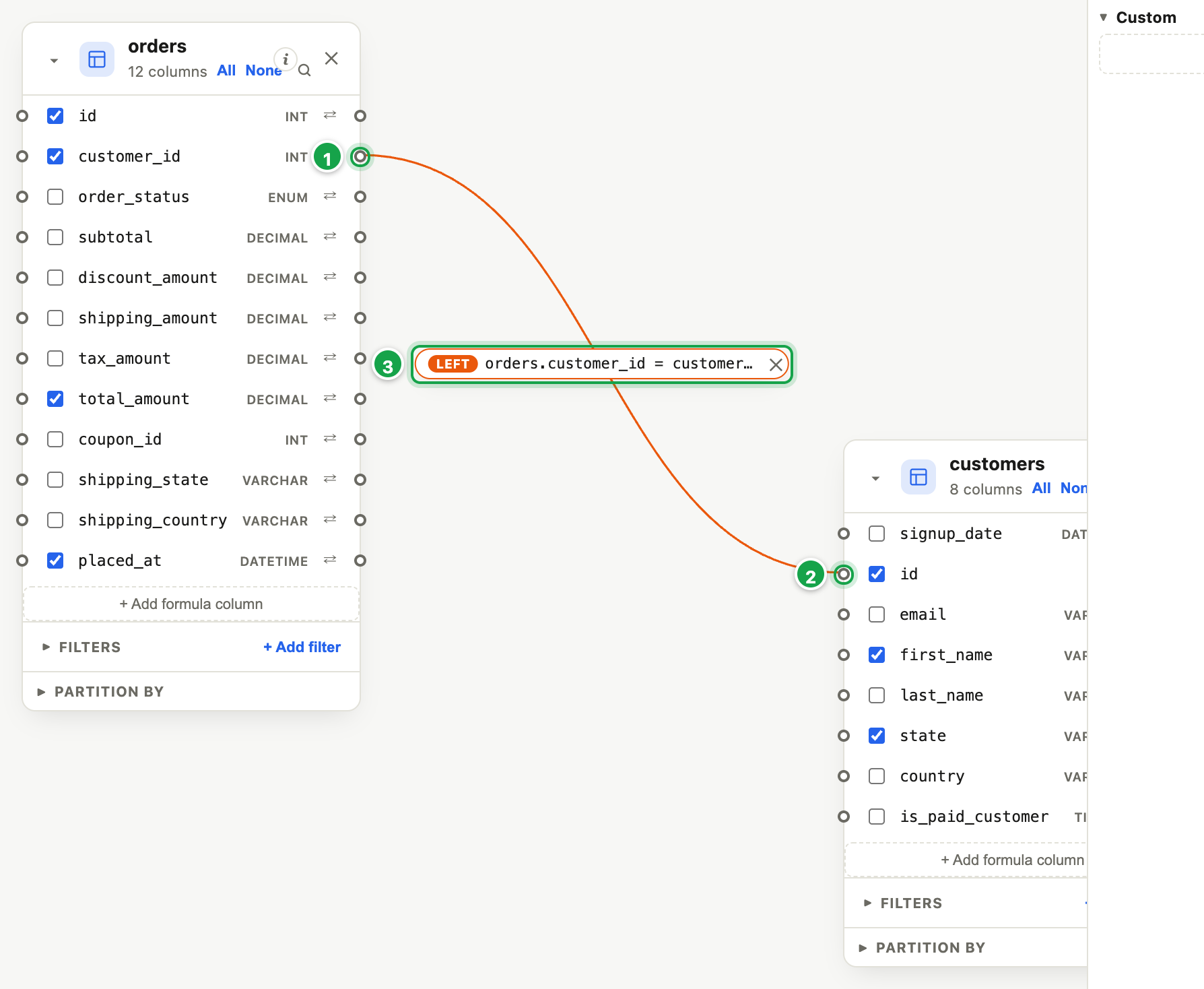
| # | What it is |
|---|---|
| 1 | Click the dot on the first column… |
| 2 | …then the dot on the matching column |
| 3 | The join: its type and condition. Click to change it. |
- Each column has a small dot on its side. Click the dot on a column in the first table (e.g. customer_id on orders) 1.
- Click the dot on the matching column in the second table (e.g. id on customers) 2.
- The Edit relationship window opens. Choose the Join type 1:
| Join type | Keeps | Example |
|---|---|---|
| Inner (default) | Only rows that match on both sides | Orders that have a known customer |
| Left | Every row of the first table, matched or not | Every order, even if the customer is missing |
| Right | Every row of the second table | Every customer, even with no orders |
| Full | Every row from both | Everything, matched where possible |
- Check the two columns 3 and click Save relationship 4.
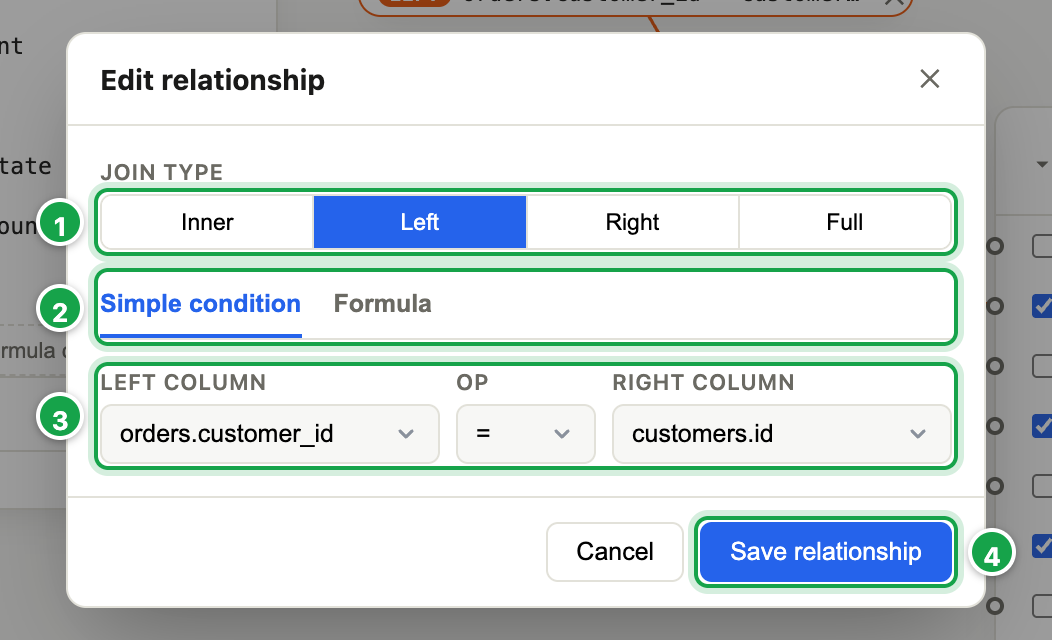
| # | What it is |
|---|---|
| 1 | Join type: Inner, Left, Right or Full |
| 2 | Simple condition, or Formula to write it yourself |
| 3 | The two columns that must match |
| 4 | Save relationship |
A line now joins the two cards, labelled with the join type 3. Click the label to change it, or ✕ on it to remove it.
Joining on more than “equals”
In the window, the Formula tab 2 lets you write the condition yourself, e.g.
dept.id = left(department.id, 3). Refer to columns as table.column. Ask a technical colleague if you’re unsure.
Tips
- Place your main table first. The first table you put on the canvas is where the dataset starts, and Left/Right joins are read from it. For “every order, with its customer if any”, place orders first, then use Left.
- Every table needs a join. A table with no join is paired with every row of the others, so 1,000 orders × 500 customers becomes 500,000 rows. The status bar then shows a warning. Join it, or remove it.
- Too many rows after a join? One side probably has several rows per key, e.g. several addresses per customer. Filter that table down (03.7) or join on more columns.
Next: 03.4 Choose and rename columns
Last updated 12 October 2026